Emoji Library

Add any emoji to your edit in one click, or make your own with AI. Browse 9,000+ emojis inside After Effects and Premiere Pro. No hunting for PNGs or leaving your project.

Verified reviews from Gumroad and aescripts

Basic

Free No card required

  • 1,900+ Twemoji emojis
  • Search, categories and six skin tones
  • One-click import into your project
  • 3 AI emoji generations
Get Basic on Gumroad

Premium

$14.99 USD · One-time purchase · No subscription

  • Everything in Basic
  • Google and OpenMoji sets — 6,000+ more emojis
  • 15 AI emoji generations
  • All future updates included
Get Premium on Gumroad

Also available on aescripts + aeplugins.

Find the right emoji.

Browse Twemoji, Google and OpenMoji styles without leaving your project. Search by name, filter by category and choose from six skin tones.
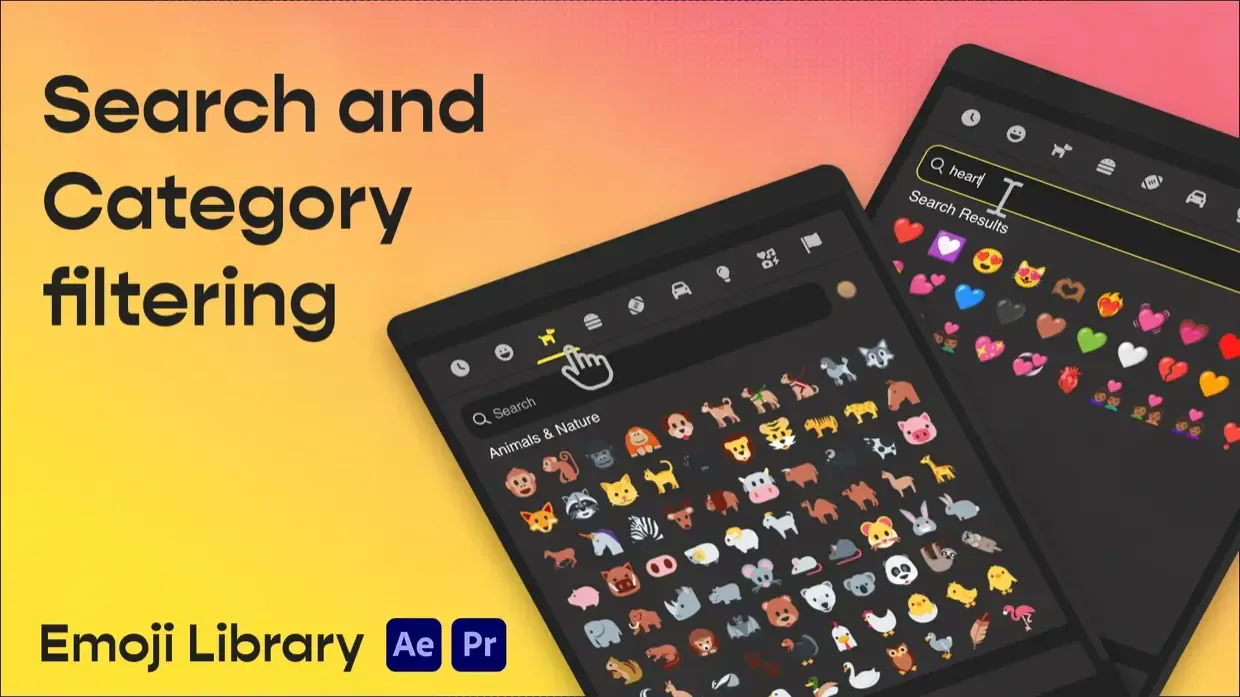
Search and category filtering for 9,000+ emojis

Create your own with AI.

Describe an idea, like “a happy robot with sunglasses”, or upload a reference image. Your custom emoji appears in the picker with a transparent background, ready to import.
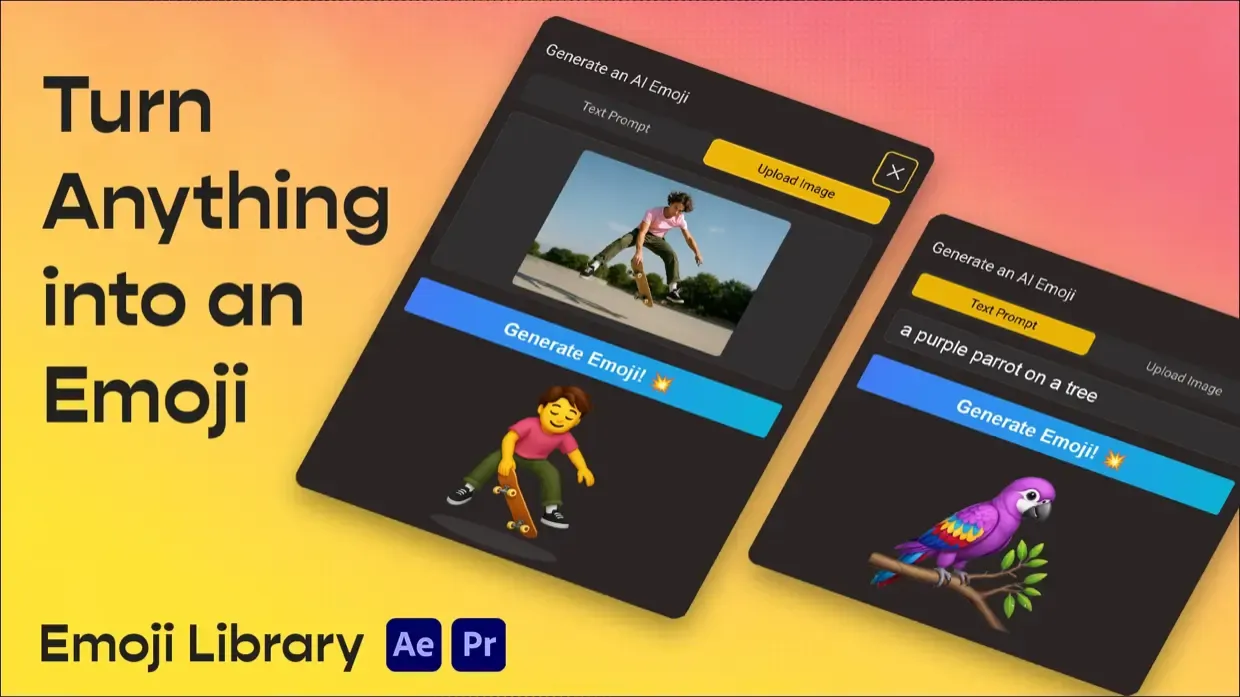
AI-powered emoji generation from text and images

One click. Ready to animate.

Send your emoji straight into After Effects or Premiere Pro as a high-resolution PNG. Scale it, position it and animate it in your composition or edit.
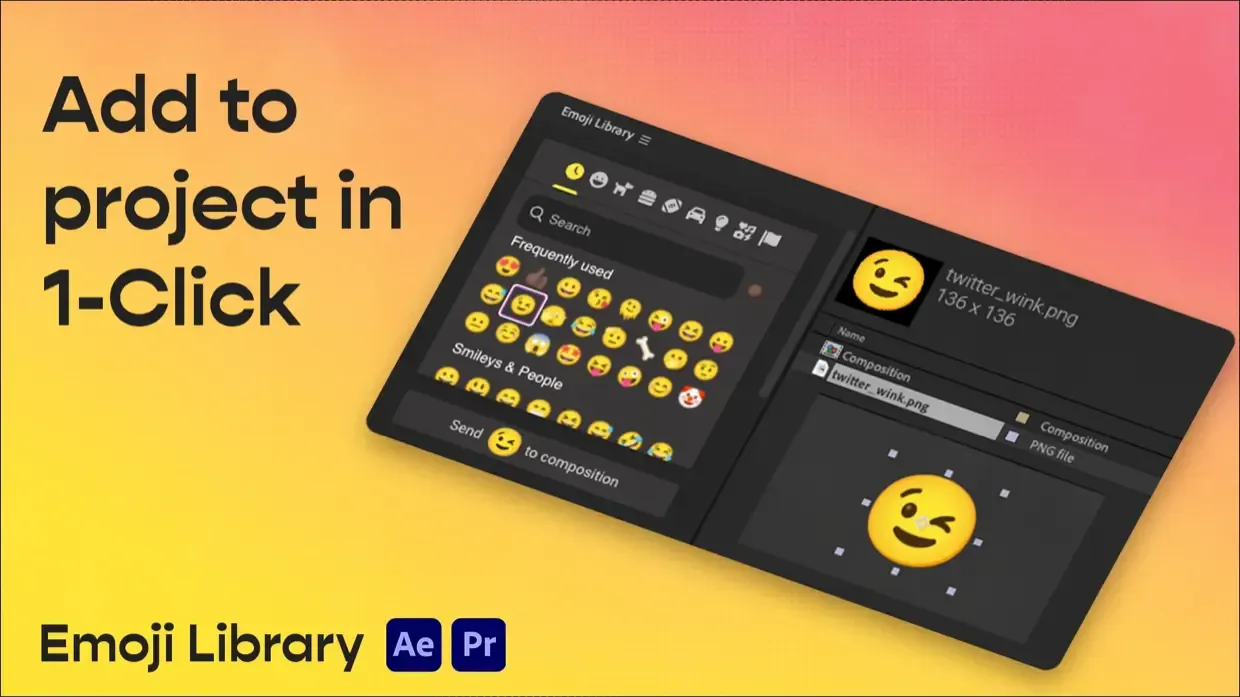
One-click emoji import into After Effects and Premiere Pro

Videos

Installation & support

Need help installing or unlocking Premium? Contact me and I'll help you get it working.

Installation guide & common questions

Up and running in a few minutes.

  1. Download your version of Emoji Library.
  2. Install the extension with ZXP Installer.
  3. Restart After Effects or Premiere Pro.
  4. Open Window → Extensions → Emoji Library.
  5. Search for an emoji and click to import it into your project.

Compatibility: After Effects & Premiere Pro CC 2019+, on macOS and Windows. An internet connection is required: the panel runs as a web app and loads emoji artwork online.

Activating Premium

For a Gumroad purchase, enter your purchase email in the extension to unlock Premium. Use the same email address you used at checkout.

Already purchased? Recover your Gumroad download link. For an aescripts purchase, use the installation and activation instructions supplied with your order.

Need a hand?

Contact me for Emoji Library support. Include your Adobe app and version, operating system, where you purchased, and what happens when you try to install or activate the plugin. Please do not send passwords or activation codes.

How many AI generations are included?

Basic includes 3 AI emoji generations. Gumroad Premium includes 15. Check the store for additional generation options.

Can I use the emoji artwork in client projects?

Each emoji set has its own licence and attribution terms. Check the relevant set before publishing: Twemoji, Google Noto Emoji, and OpenMoji. These are separate from the plugin licence.

Read the Emoji Library End-User Licence Agreement.